Case Study ✷ 01 of 03
Redesigning Zelle troubleshooting for Wells Fargo
Context
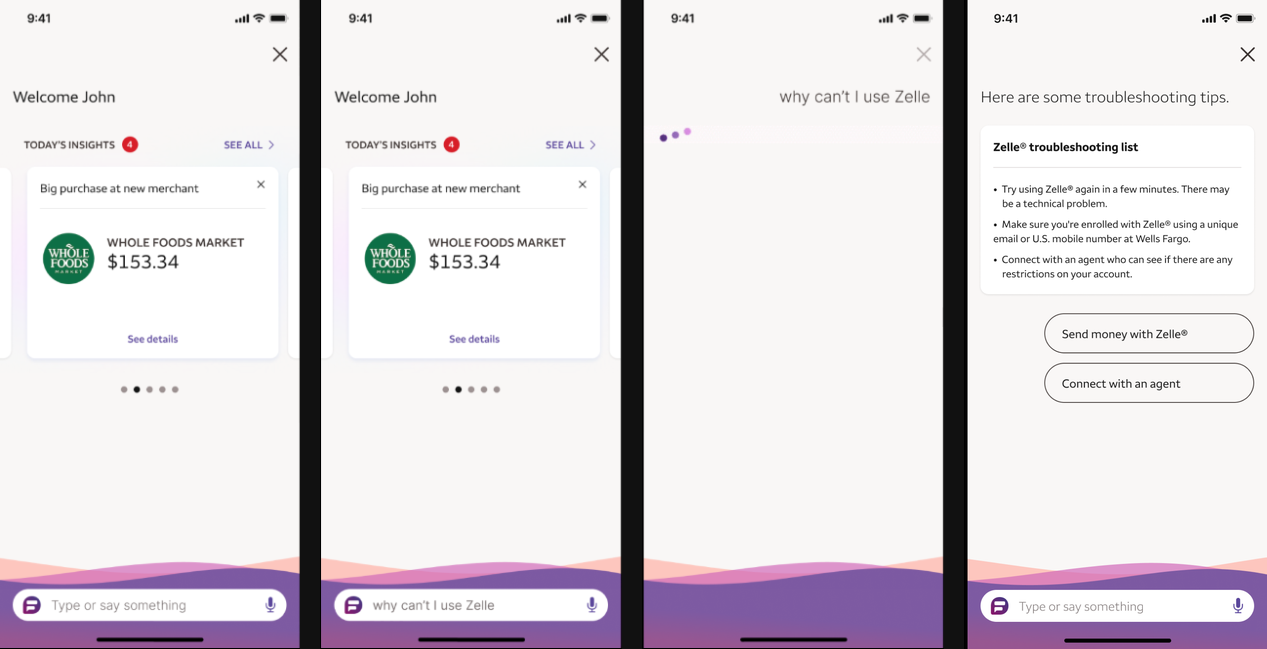
Zelle issues were a top driver of Wells Fargo support calls: 650,000 calls per year, with 85% of customers engaging with Fargo, the bank's virtual assistant, first. But every Zelle related question routed to one generic response with static tips, regardless of the actual problem. Users defaulted to calling an agent.
Challenge
Users with completely different problems, a failed send, a missing payment, an enrollment issue, all got the same non-specific answer.
Solution
Led the end-to-end redesign of the in-app Zelle troubleshooting experience for Fargo, turning one static list into a branching, diagnostic conversation.
Analyzed call driver data with Support to find the most common Zelle failure points, and how customers actually described each one.
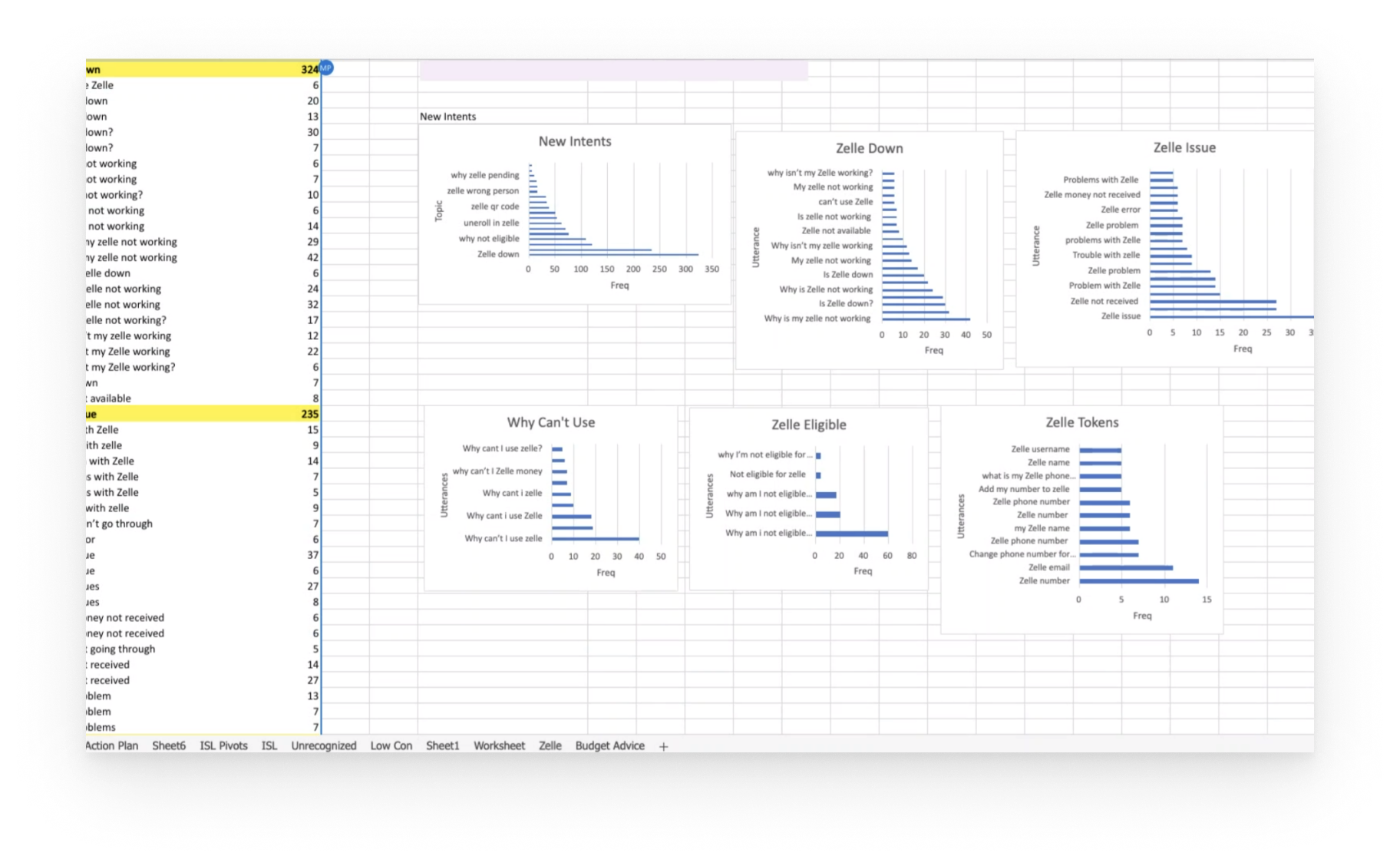
Grouped root causes into categories, then used those to define branching error types, from account restrictions and insufficient funds to failed and missing payments.
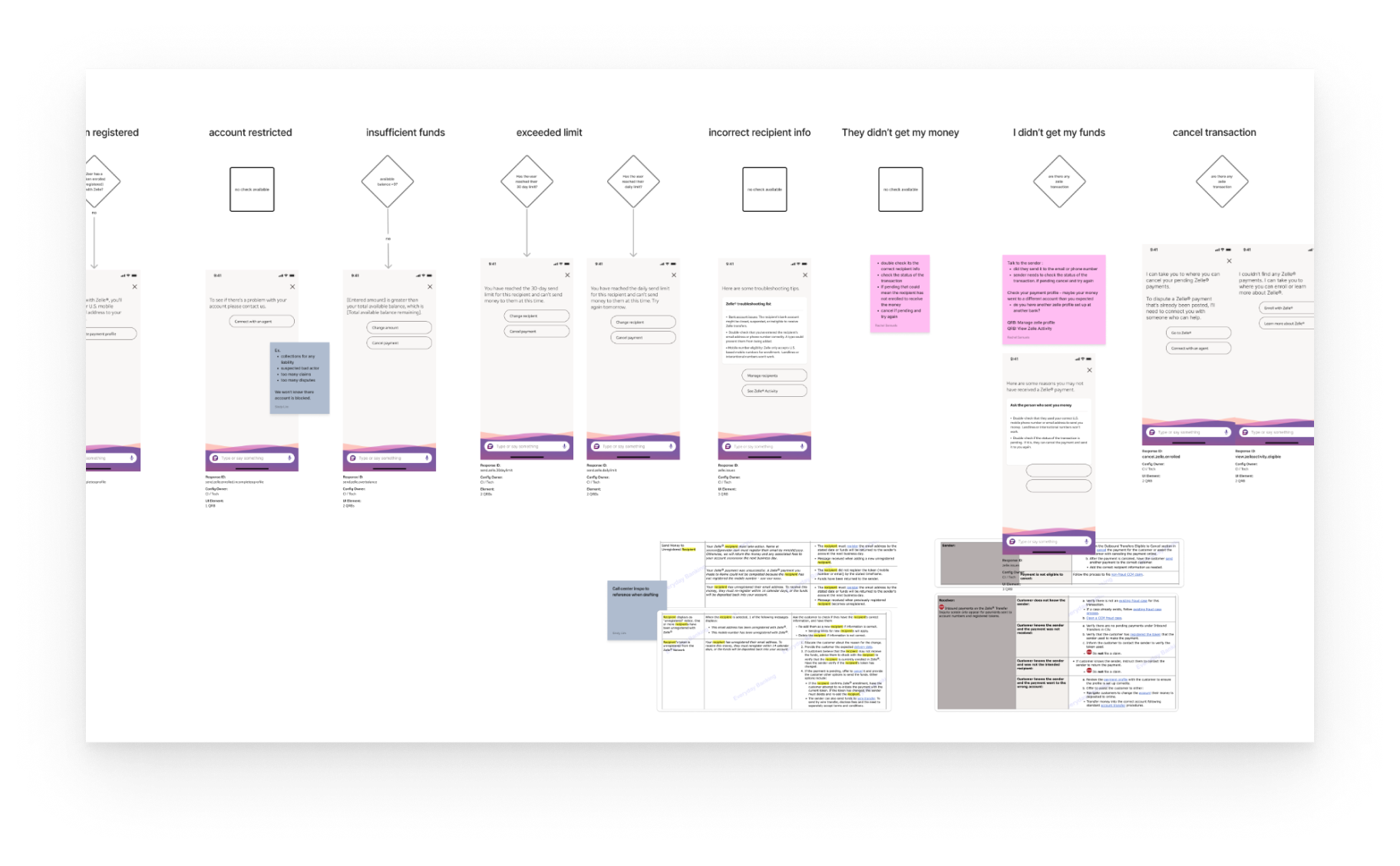
Tested flow options with Product, Design, and Engineering. The structure that performed best surfaced specific problem categories up front, then closed with a checked-issues summary.
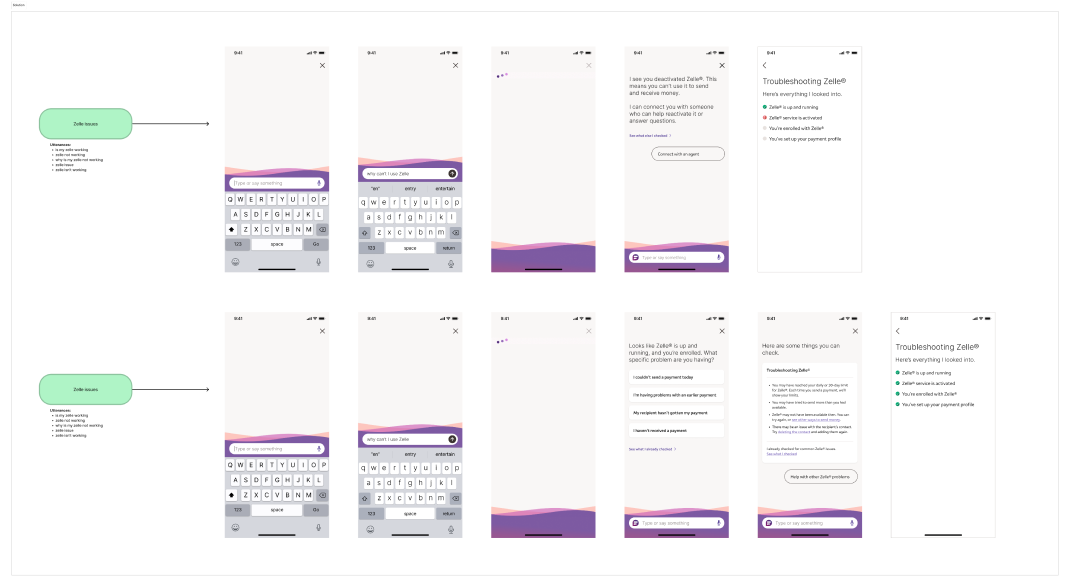
A new troubleshooting flow that checks for common issues automatically. Each error type provides targeted, relevant guidance instead of a generic list, and closes with a transparent "here's everything I checked" summary, so users can see exactly what the assistant already ruled out.
After
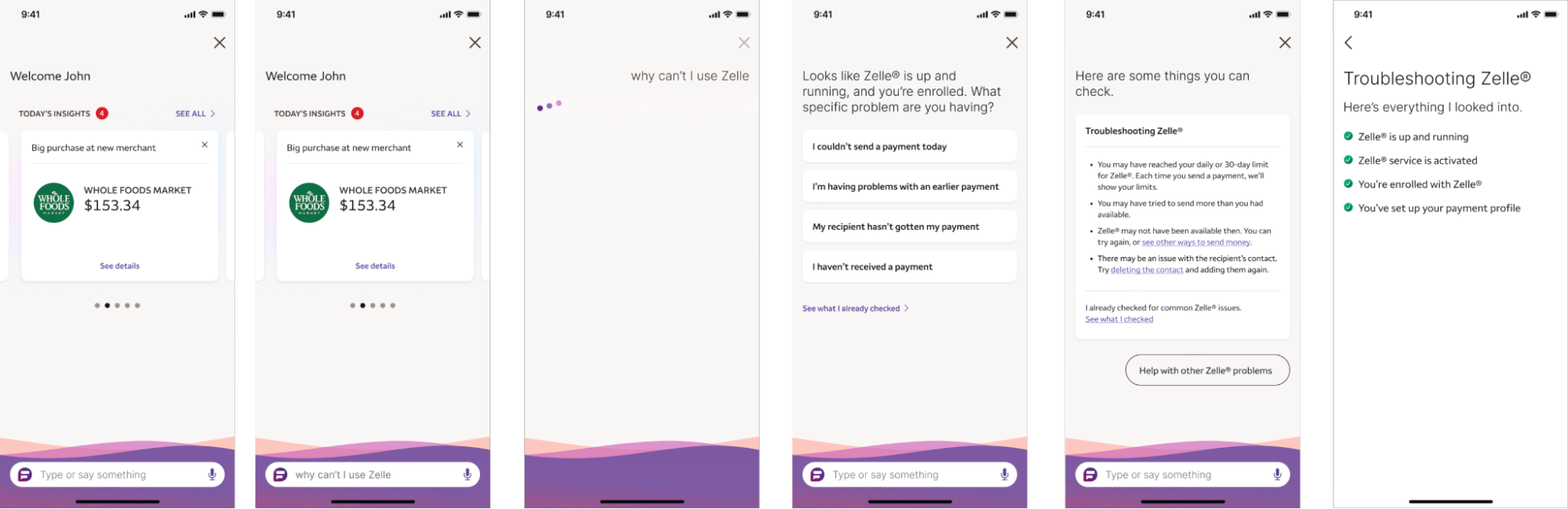
Before
Outcome
Reduced Support calls by 29% and saved the bank $205,000 annually.